Creating and Publishing Your Own Comic Book with 6x9in KDP Interior Templates
Comic Book KDP Interior 6x9in templates are a versatile and efficient way to bring your creative vision to life, whether you're an aspiring comic artist, a seasoned professional, or someone looking to enter the world of self-publishing. These templates, available in various page counts and file formats, offer a streamlined approach to publishing your work on platforms like Amazon Kindle Direct Publishing (KDP) and other digital marketplaces.
Understanding the Formats: PDF, PNG, and EPS
The Comic Book KDP Interior 6x9in package comes with three primary file formats: PDF, PNG, and EPS. Each format serves a specific purpose and is optimized for different stages of the creation and publishing process.
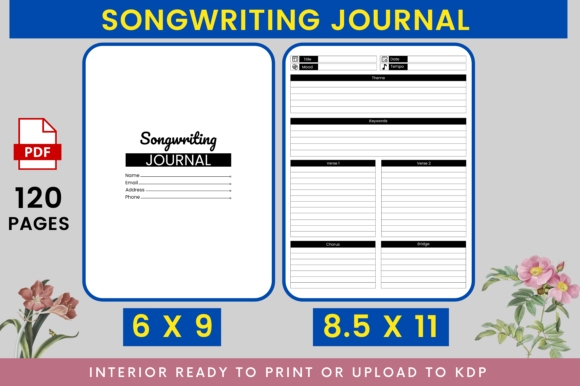
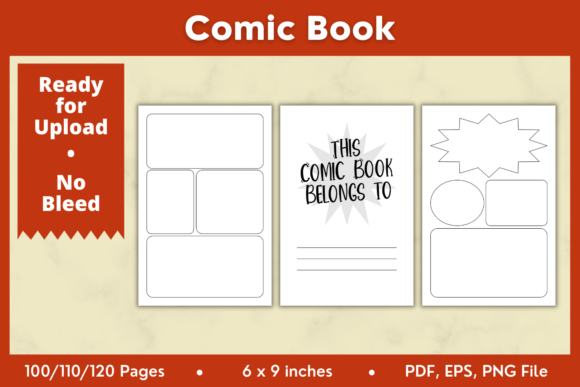
- PDF (Portable Document Format): The PDF files are ready for direct upload to KDP and other platforms. They are available in 100, 110, and 120 pages, making it easy to choose the right length for your story. These files are set at 300 DPI, ensuring high-quality prints without bleed, which is ideal for a clean, professional look.
- PNG (Portable Network Graphics): The PNG files provide a transparent background, allowing for easy integration into other design projects. This format is particularly useful if you need to incorporate your comic book pages into other media, such as promotional materials or web content.
- EPS (Encapsulated PostScript): EPS files are vector-based, making them perfect for editing and scaling without losing quality. This format is ideal for those who want to make detailed adjustments to their comic book layouts using software like Adobe Illustrator or Affinity Designer.
Advantages of Using Comic Book KDP Interior 6x9in Templates
There are several key advantages to using these templates, which make them a popular choice among creators:
- Professional Layouts: The templates are designed with a professional layout, ensuring that your comic book looks polished and well-structured. This can be especially beneficial for new creators who may not have extensive experience in graphic design.
- Time-Saving: By providing pre-formatted pages, these templates save you significant time in the layout and formatting stages. This allows you to focus more on the creative aspects of your project, such as storytelling and illustration.
- Versatility: The availability of multiple page counts (100, 110, and 120 pages) and file formats (PDF, PNG, EPS) makes these templates highly versatile. Whether you're creating a short story or a full-length graphic novel, there's a template to suit your needs.
- High-Quality Output: All files are set at 300 DPI, which is the industry standard for print. This ensures that your final product will have crisp, clear images and text, enhancing the overall reading experience.
Use Cases and Real-World Applications
The Comic Book KDP Interior 6x9in templates can be used in a variety of ways, catering to different types of projects and audiences:
- Self-Publishing Authors: Independent authors can use these templates to publish their own graphic novels or illustrated stories. The professional layout and high-quality output help to create a product that stands out in the marketplace.
- Educators and Researchers: Educators can use these templates to create educational comics or visual aids. Researchers can also use them to present their findings in a more engaging and accessible format.
- Hobbyists and Enthusiasts: Hobbyists and enthusiasts can experiment with different storytelling techniques and styles. These templates provide a structured yet flexible framework to explore their creativity.
- Business Owners: Business owners can use these templates to create branded content, such as company histories, product manuals, or marketing materials. The professional appearance and versatility of the templates make them a valuable tool for business communication.
Editing and Customizing Your Comic Book
To get the most out of your Comic Book KDP Interior 6x9in templates, you can edit and customize them using a variety of software tools. Here are some tips and best practices:
- Adobe Illustrator: Use Adobe Illustrator to make detailed edits to the EPS files. This software is powerful and allows for precise adjustments to your comic book pages.
- Affinity Designer: Affinity Designer is another excellent option for editing vector graphics. It offers a user-friendly interface and robust features, making it a great alternative to Adobe Illustrator.
- Other Software: You can also use other graphic design software that supports EPS and PNG formats. Just ensure that the software you choose can handle vector graphics and maintains the 300 DPI resolution.
When editing, pay attention to the following:
- Consistency: Maintain a consistent style and layout throughout your comic book to ensure a cohesive and professional look.
- Quality Control: Regularly check the quality of your images and text. Zoom in to inspect details and make sure everything is clear and legible.
- Feedback: Get feedback from others, such as friends, family, or fellow creators. Fresh eyes can often catch issues you might have missed.
Uploading and Publishing Your Comic Book
Once you've edited and finalized your comic book, you can upload it to KDP or other platforms. Here’s a step-by-step guide to uploading your PDF files:
- Prepare Your Files: Ensure that your PDF files are complete and meet the required specifications. Double-check the page count and DPI settings.
- Create a KDP Account: If you don't already have one, create an account on Amazon KDP. This is a straightforward process that involves providing basic information about yourself and your book.
- Upload Your Files: Log in to your KDP account and go to the "Create a New Title" section. Follow the prompts to upload your PDF files. Make sure to select the correct trim size (6 x 9 inches) and other relevant options.
- Add Metadata: Fill in the metadata for your book, including the title, author name, description, keywords, and categories. This information is crucial for search engine optimization and discoverability.
- Set Pricing and Royalties: Choose your pricing strategy and set your royalty rates. Consider factors like the length of your book, the target audience, and the competition when setting your price.
- Review and Submit: Review all the information and files you’ve uploaded. Once you’re satisfied, submit your book for review. KDP will review your submission and, if approved, publish it on the Amazon platform.
Conclusion
The Comic Book KDP Interior 6x9in templates offer a comprehensive solution for creating and publishing your own comic books. With their professional layouts, versatile formats, and high-quality output, these templates are a valuable resource for anyone looking to share their stories with the world. Whether you're a professional, a hobbyist, or a business owner, these templates provide the tools and flexibility you need to bring your creative vision to life.
For more products and resources, visit our store and explore a wide range of templates and tools designed to support your creative endeavors.